EA SPORE Origins; Sounds like a Virus

Check out Electronic Art's description of the upcoming SPORE Origins game for iPods and iPhones:

Eat or be eaten when you play SPORE Origins on your iPod. Guide your spore through its evolution and shape its destiny. Devour smaller creatures, explore primordial worlds filled with bizarre organisms, and avoid larger, lethal life forms. Grow from single-cell to complex predator as you rise through the levels. Customize your spore, and watch it move to the tunes in your iPod. Battle friends by importing their spores into your iPod from the Sporepedia website.

Tell me that last sentence doesn't sound an awful lot like "importing a virus" onto your iPod. I sure hope they secure the "spores" enough to prevent someone from piggybacking a virus on one.

iPhone: Ambiance; Noise to Fall Asleep!

I purchased the Ambiance app (link opens in iTunes) for my iPhone a few weeks ago ($0.99) and although some of the noises seemed pointless (White Noise, Blue Noise, and Violet Noise all just sound like static!) some of the noises were really nice, like the Birds, Stream, Waterfall, and Waves.

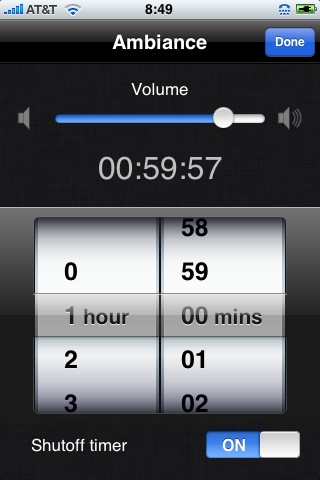
Last night I "discovered" there was a built-in timer! This meant I could leave a noise on for an hour while I'm falling asleep and it would automatically turn off. So last night I turned on the Waves sound and went to sleep. It was amazing how I could close my eyes and instantly imagine myself near the beach with real waves rolling in.

I also use my iPhone as my morning alarm, so now I have two uses for it related to sleeping. 🙂

Ambiance Timer

Backup-Bouncer

I haven't tried it yet, but Backup-Bouncer looks like a very useful tool for verifying backup methods (it doesn't actually verify backups, but rather the accuracy of a backup method's ability to copy OS X metadata). The latest version of rsync (v3.0.3) passes Backup-Bouncer with flying colors when tested with this command: sudo rsync -aNHAXx –protect-args –fileflags –force-change /Volumes/Src/* /Volumes/Dst/test

Accidentally Using an Old Version of rsync

Last night I discovered I had been using an old version of rsync that did not use SSH by default! Something happened during my upgrade to Leopard that switched the default rsync from /usr/bin/rsync (v2.6.9) to an old version that must have been installed by fink in /sw/bin/rsync (v2.5.5)! I discovered the problem after a simple rsync command failed and I ran the command again with the -vv flags (to get a more verbose output). Sure enough, it was running with RSH and not SSH! Even the man page said RSH was the default! (On the upside, the suddenly broken PHP script I had written to help with deploying web projects, and which utilizes rsync over SSH, is not really broken after all.)

HOWTO: Create an ISO Image from a CD in Mac OS X

Insert the CD you want to create an ISO image from into your CDROM/DVD drive and then launch Disk Utility (Applications -> Utilities -> Disk Utility). Select the CD underneath the drive listed on the left and then click New Image in the tool bar at the top.
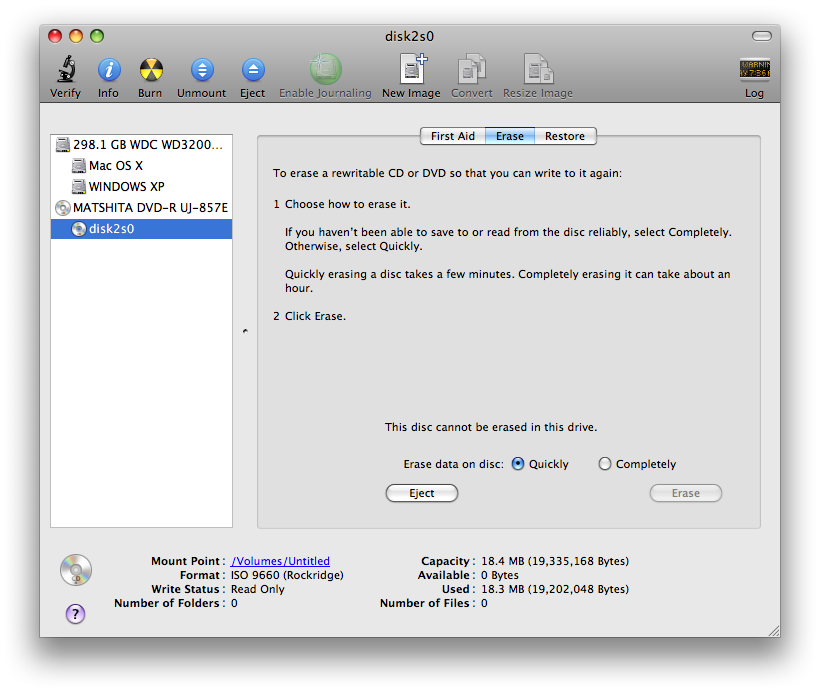
Disk Utility

On the Save As dialog, enter a name for your ISO image and choose the location where you want to save the file. Change the Image Format from compressed to DVD/CD master (compressed will save the file as a DMG image). In the example below, I use example as the filename.
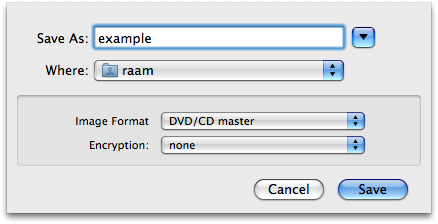
Disk Utility Save As Dialog

Disk Utility will create the disk image with the .cdr extension, even though the image itself is identical to a .iso image1.
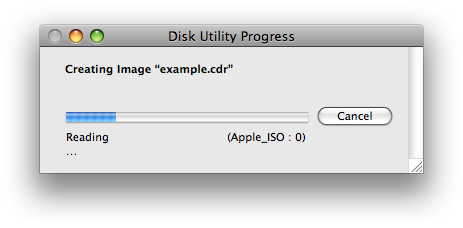
Disk Utility Creating Disk Image

When Disk Utility is finished, you can browse to the file with Finder and rename the file from example.cdr to example.iso.
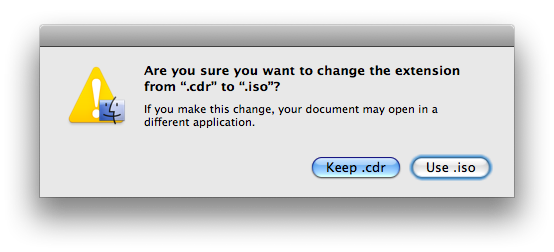
Rename CDR to ISO

The ISO image can then be distributed and burned on any system (I tested this by burning the resulting ISO on a Windows XP machine using the free DeepBurner application).

Not a true ISO image?

I have read that the resulting ISO image is not a "true" ISO-9660 filesystem and that you can use the following command to convert DMG images (leave the Image Format as compressed to create a DMG image in Disk Utility) into *real* ISO images using the following command:

[sourcecode language="bash"]
hdiutil makehybrid -o example example.dmg
[/sourcecode]

This will convert example.dmg into example.iso. However, after burning the resulting ISO image on a Windows machine the CD was not bootable. Using the renaming method I described above, the CD was bootable and Windows was able to see the contents of the CD without any problems.

I looked over the man page for hdiutil and even tried some of the examples to convert a DMG to a *true* ISO file:

[sourcecode language="bash"]
hdiutil makehybrid -o example.iso example.dmg -iso -joliet
[/sourcecode]

But after burning the resulting ISO to a CD, I discovered the CD was again not bootable. Maybe I'm missing something and someone can enlighten me. Until then, I will continue creating a .cdr image and renaming it to .iso.

Computer Quiz Required

While registering for my Harvard email account, I came across this:

Thank you. You must take a short quiz on Use of Computers and Networks before selecting your username and password. You will be automatically redirected to the quiz within a few seconds, or you may click the button below.

I suppose it's a step in the right direction...

What's really happening in Georgia?

Watch as a 12 year old girl and her aunt begin telling the truth about what's happening in Georgia, and as FOX cuts them off in attempt to prevent the truth from getting out. The higher powers want to make it look like Russia is trying to start a war -- there seem to be so many signs pointing towards a serious set of events taking place over the next few years. Are you ready?

NetShare Gone for Good?

According to a recent MacRumors post, NetShare is Unlikely to Return to U.S. App Store. But, "Despite the removal of the application from the App Store, customers who purchased the application prior to its removal can continue to use it on their iPhones." Well lucky me; I jumped at the opportunity to buy it for $10 while it was still available--I was certain it would get pulled. If I had the balls to jailbreak my iPhone, the NetShare app wouldn't be such a big deal.

Windows Error on Cable TV

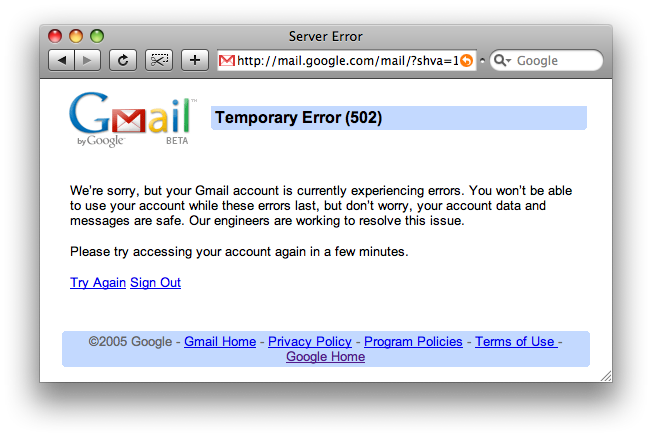
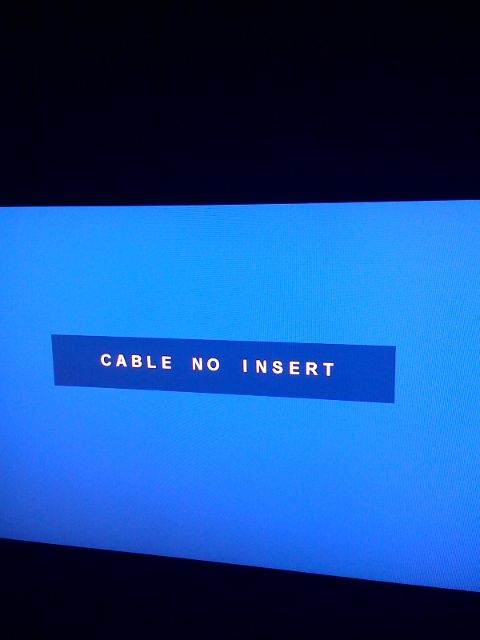
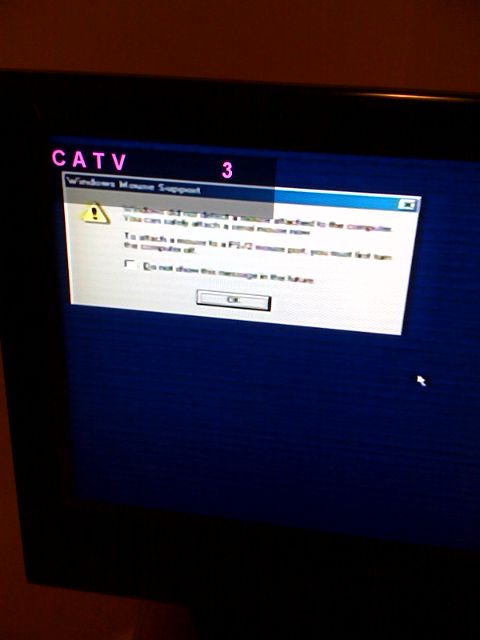
When I turned on the TV, none of the 76 stations seemed to be working (maybe they finally cut off the free cable service I've had for the past 8 months). I started checking the channels starting at channel 1 and found a Windows "unable to detect a mouse" error message on channel 3:

Cable TV showing a Windows Error

I've got a Mac dammit, leave me alone!

Coding Furiously

I've been working day and night for the past few days on an already-late project for work. The fact that the project requires a computing language that was very unfamiliar to me just a few short weeks ago certainly adds to the brain drain. But, it's a language I've been wishing I had a reason to learn for years now so I'm definitely not complaining!

Making Checkboxes Behave like Radio Buttons

A while back I found the need to have HTML checkboxes behave like radio buttons. As you probably know, the main difference between the two is that multiple checkboxes can be selected at the same time whereas only one radio button can be selected at any given time (of course this changes depending on the context).

So how do you make checkboxes behave like radio buttons? With a bit of Javascript, it's pretty easy (click "Result" to see it in action):

As you can see, only one checkbox can be selected at a time; the checkboxes are behaving like radio buttons! This solution allows you to leave both boxes unchecked, or check only one.