
Mitnick announced a limited # of free businesscard lockpicks & everyone rushed 18 floors down to get one. I went down the service elevator 😀
2008
Heading to NYC for the Weekend to Attend HOPE
I'm on my way to HOPE (Hackers On Planet Earth) in New York City, a three day event full of geeky tech stuff (and unfortunately it's the last one they're holding in NYC). Figuring out which of the one hundred or so talks to attend was difficult; most of them are happening three at a time (in different rooms) and with so many great topics it was difficult to choose one from the other. But now I have my weekend planned out and it should be fun.
Since my decision to go was made last minute, I was unable to find a hotel cheap enough for my wallet and, as it stands right now, I won't be sleeping for the entire weekend (the reality of that is still sinking in). The entire trip should be pretty cheap, at least compared to the last time I went to HOPE (in 2004). I believe the last time I went it cost me around $600 (bus + hotel + HOPE ticket + food). This time I intend to keep that number under $200.
While I'm in NYC, I might pick up an iPhone at the Fifth Avenue Apple store. While all the other stores around Boston have been out of stock since Sunday, the NYC stores have remained fully stocked.
Stand by for updates from HOPE.
The BoltBus is awesome (boltbu…
The BoltBus is awesome (boltbus.com). All new interior, outlets at every seat, free WiFi; like an airplane only not as smooth. $15 to NYC!
The word "mortgage" comes from…
The word "mortgage" comes from the latin root mortes meaning "death to" and gages meaning "your dreams". Remember that before buying!
iCal Missing AM/PM Option? Change to 24-hour Mode!
Am I crazy or is there no way to make iCal show AM/PM when editing a calendar entry?
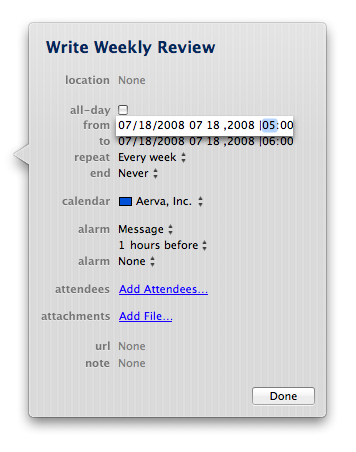
The AM/PM option IS there, because if I use the arrow key to move over to next field, there's a hidden AM/PM field which I can change. However, unless I know what it's already set to, I have no way of knowing what I'm changing it to. Very annoying.
My fix for this is to simply use 24-hour mode, which I already use on my main system clock anyway. (By the way, if you have trouble converting 24-hour time to 12-hour time, you might want to check out my post on Learning to Interpret Military Time.) Unfortunately, enabling the "Use a 24-hour clock" option in the Date & Time settings does not enable 24-hour clock mode in iCal. To do this, you must modify the International settings (!?).
System Preferences -> International -> Formats -> Times -> Customize
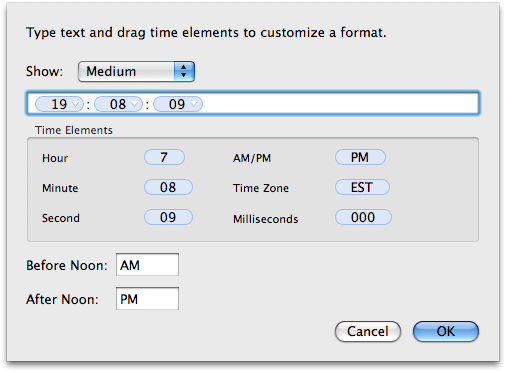
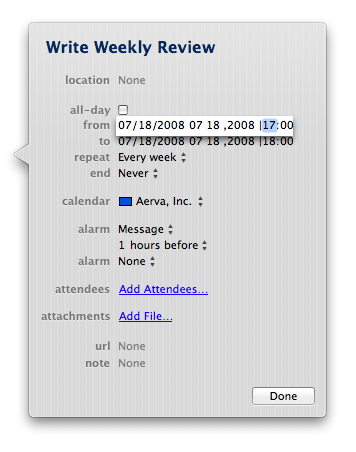
From here, you can select and delete the AM/PM option from the white field and then click the little arrow on the hour field to change it's format to 24-hour (this screen is very non-intuitive for something made by Apple). I made the changes to Short, Medium, Long, and Full time formats and then clicked OK and WHAM! iCal showed 24-hour time and made it possible to easily change the time on an entry.
Good Comedy with Tech Industry News
The news stories over at The Register, a British technology news website, are always filled with comical remarks and creative titles. I found the site many years ago and it hasn't changed much since. Scanning titles like "Smut pop-up teacher retrial stuck in delay loop" make my brain work overtime as I try to decipher the almost cryptic information and decide if the content of the article is worth reading.
Those who know me will probably tell you I'm a very factual, get-to-the-point, kind of guy. For that reason, I haven't read a full article on The Register in some time. Then today I saw a news title that caught my attention, "And so we begin the tech sector's journey into the Heart of Darkness". I read the entire article laughing out loud while I sat in a coffee shop. Then I read another one, "How to be an instant Web me-2.0 developer", and another, "Microsoft kicks Ubuntu update in the hardy herons". Maybe I've rediscovered The Register!
Mortgage Lender IndyMac Seized by the US Government
I was shocked to see news that IndyMac, the holder of the mortgage for my second property (Bowers St), had been seized by US regulators. The mortgage for that property went to foreclosure back in March (my first foreclosure), so needless to say, I contributed to their downfall.
IndyMac's fate was sealed after Senator Charles E. Schumer wrote a letter about the bank. Mr. Schumer spoke strongly about the agency:
“IndyMac’s troubles, like Countrywide’s were caused by practices that began and persisted over the last several years,” he said. “If O.T.S. had done its job as regulator and not let IndyMac’s poor and loose lending practices continue, we wouldn’t be where we are today.”
IndyMac held $32 billion in assets and its demise is being called the biggest failure in 24 years. In addition to loans, IndyMac Bank held one of the largest savings in the country. The FDIC said nearly $1 billion of the $19 billion in deposits held by IndyMac were uninsured, affecting about 10,000 people. When news got out that IndyMac was in trouble, people started taking their money out of their bank accounts, to the tune of $100 million per day. Things like this are exactly why I feel uneasy saving money at all. It feels safer to invest in things that are real, be it a car, motorcycle, boat, education, health, general experience, or yes, even real estate.
Coupled with the craziness that happened to Fannie and Freddie yesterday, the reality of what's happening in the US is finally starting to sink in. Fannie and Freddie, which own or guarantee almost half the $12 trillion of home loans in the U.S., plunged as much as 49 percent and 51 percent yesterday. [1] Think about that for a second: half of all the home loans in the U.S. This happened as investors feared failure in the market would cause the U.S. government to rescue both companies, which would wipe out the shareholders.
Sex in Space
Britain's Telegraph has an intriguing article about Sex in Space (and on other planets). At first it seemed a bit silly, but towards the end of the article I realized how incredible it is that scientists are even beginning to talk about solving such "problems". Imagine being the first human born on another planet. Or being their parent.
When it comes to booking trips…
When it comes to booking trips, I procrastinate. I missed preordering HOPE tickets & now hotels are booked. No sleep for me next weekend.
Unable to connect using Sprint U727 on Leopard – FIXED
After so many hours trying to fix the damn U727 USB Sprint card, I finally have it working again. It was working fine up until about a week ago when it mysteriously stopped working. I was getting all kinds of messages, including "Unable to connect" and several seemingly useless messages in /var/log/ppp.log: "Connect script failed", "LCP: timeout sending Config-Requests", "CCLExit: -6021 (No carrier.)", and "CCLExit: -6019 (Modem error, modem not responding.)".
I finally came across this post that included a list of steps which billio discovered fixed the problem for him. I am re-posting his steps here (I hope he doesn't mind):
1. Remove the Novatel USB device.
2. Download the latest driver package for Mac OS X from Sprint. It says it is for Tiger (10.4) but it seems to work.
3. Delete (
sudo rm -rf) all the Novatel files from/System/Library/Extentions. Reboot.4. Run the mpkg installer for the Sprint drivers.
5. Reboot.
6. Open Network Preferences; plug in the Novatel device; click “+” and add “Novatel CDMA” device.
7. Click “Advanced” button. Change vendor to Novatel and Model to CDMA.
8. Click “Connect” and it works.
And I couldn't believe it, but that actually worked! (I'm writing this post using the Sprint card right now.) You can find the Sprint drivers here (select MAC OS from the drop down and download the Sprint SmartView software).
MacBook Pro Finishing Charge
I've never seen this battery status message on a laptop before:

No truck until next week
After waiting two hours for ProTech towing from Waltham, I decided to call another towing company. They came within 30 minutes. I hitched a ride with the tow truck driver to the closest auto repair shop, Doherty's Garage. Towing costs were outrageous: it cost me $85 to be towed 4 miles (I definitely need to get AAA).
After dropping the truck off, I walked to the Lincoln train stop (literally 100 feet away) and took the 3:59 train to Boston. I got off at the Porter Square stop and took the Red Line to Central Square. Total cost to get back to the office: $7.45.
Since Doherty's is such a small garage, they're not open today (the 4th of July) nor on the weekends. So they won't even get to my truck until sometime early next week. It looks like I'll be without a truck until middle to end of next week. I guess I could always use my legs for transportation.
LiquidWeb Dedicated Server Support Rocks!
A rouge mail server started using my server to send tons of spam messages. After checking a few obvious things (rouge scripts on my server sending spam, users sending the spam, etc), I immediately submitted a ticket to the data center, LiquidWeb. Within 30 seconds, D. Walters responded to the ticket:
Hey Raam,
I'm logging into your server right now to check things out. If you're
still logged in, feel free to follow my work with this command:screen -x dwalters
Regards,
D. Walters
I was already logged into the server, so I typed screen -x dwalters and sure enough, I instantly saw what he was doing on the server (I never knew this was possible with screen). I watched as he did various things, including installing a custom script that he wrote to help handle spam on server.
After a minute or two, he started typing something in the terminal that didn't look like any command I had ever seen:
web:~ root# Hey Raam, are you there?
Since I was attached to the same terminal as him, I was able to type back. Over the next 20 minutes we spoke back and forth several times and exchanged geeky jokes. I asked him a couple of questions and he showed me example commands that I could run to glean useful information from the exim logs.
The name D. Walters was familiar to me, as he had responded to several of my LiquidWeb tickets in the past. He was familiar with my technical abilities and knew that I was Linux savvy, so he invited me to watch what he was doing. He trusted that I wouldn't foolishly try typing in the terminal thereby interrupting what he was doing.
Dealing with someone familiar is important as it brings a feeling of trust to the situation. I compare the feeling to that of my auto mechanic; he lets me stay in the garage while he works on my truck. I stay out of the way and in return I get to stand under the truck, walk around the garage, and watch as he goes about his work. I simply wouldn't be able to do that if I went to a Chevy dealership.
The response time at LiquidWeb is second to none. I can always get someone technically able on the phone, 24/7. That person is always within walking distance to my physical server on the rack. Add those things to my recent experience and I can honestly say, LiquidWeb dedicated server support rocks!
Multitasking on my Mac
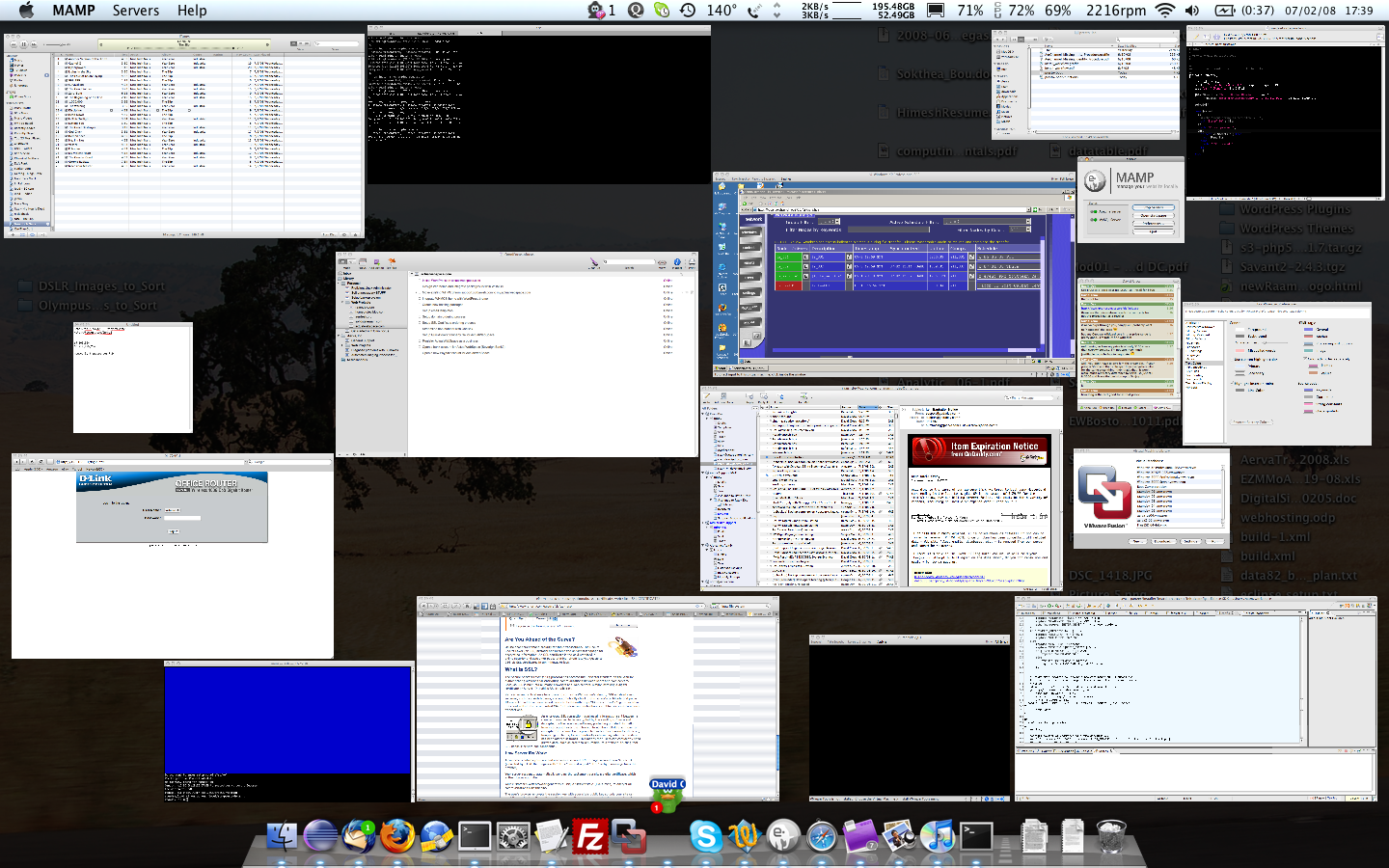
Here is what my MacBook Pro desktop typically looks like while I'm working. All these programs running and I have 24% free memory and 60% free CPU. 🙂
Register.com Style Revamped
After many years, it looks like register.com finally released a new style. It looks exactly like the one I caught a glimpse of a few months ago.
Home cooked dinner: Sauteed po…
Home cooked dinner: Sauteed portobello mushrooms in yellow onion & garlic with steamed zucchini & jalapeno's over mixed brown & wild rice.
Problems Starting and Stopping MAMP in Leopard
First of all, I love MAMP (Apache, MySQL, and PHP for Mac). I use it on a regular basis for web development and it has been extremely useful since I started working on a Mac platform about a year ago. After upgrading to Mac OS X 10.5 (Leopard), I discovered MAMP would sometimes have problems starting and stopping. The MAMP widget and control panel would both say that Apache and MySQL are running, when in fact they were not.
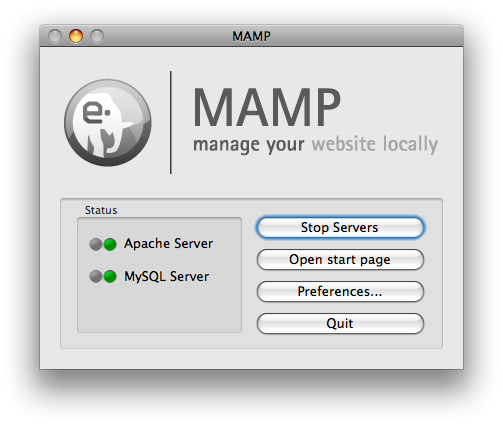
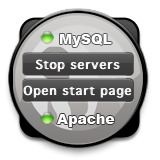
When attempting to stop the services, MAMP would show the progress meter for a few seconds and then do nothing (the lights stayed green). This was quite annoying to say the least.
Apparently this is a known bug. But don't fear, there is a solution! Click the Preferences button on the MAMP control panel, then click OK. MAMP will do some reinitializing and then all is well again. You're also able to start/stop MAMP from the widget.
The latest version available is 1.7.1 and it was released on 08-13-2007, almost a full year ago! I suppose that's what you can expect from a free version of their main product, MAMP Pro ($60), but slow bug fixes to their free version certainly wouldn't make me feel good paying money for MAMP Pro.
Mac Danzig is a Vegan
I just found out that Mac Denzig is a vegan and has been since 1999! If you don't know who he is, you might have heard about the place he fights (and has won 18 times): the UFC (Ultimate Fighting Championship). The MMA Digest has a post about his vegan diet and he also personally wrote about his diet after receiving endless questions by fans. In his write up, he references a page by Mike Mahler where Mike writes about Making the Vegan Diet Work.
San Luis Reservoir, Route 99, and San Francisco
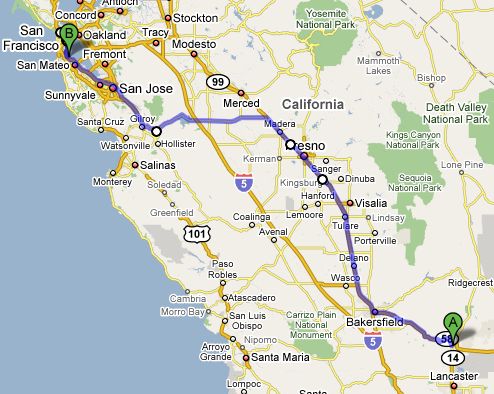
As I left Mojave, CA (where I comfortably spent the night in Motel6 with free WiFi for $40) and drove along route 58, I found myself surrounded by windmills. California is one of the top states for renewable energy sources and it showed.
Right after the section of hills and windmills, I went through the small flat town of Tehachapi. The most stunning sight going through this town was a group of very tall pine trees sticking up out of the ground like giant blades of grass. As I left the flat plains, the landscape quickly became hilly again, but now with a twist: the landscape was littered with stunted trees.
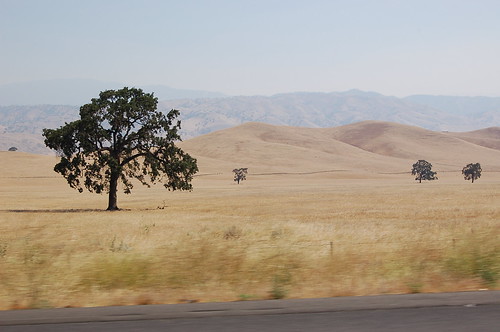
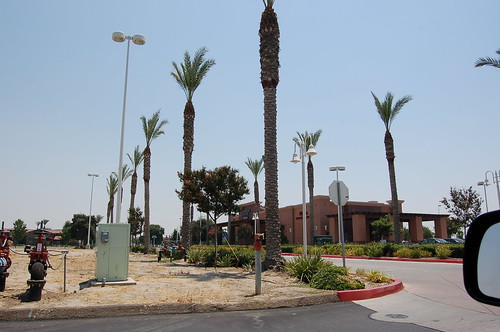
Route 99 was mostly surrounded by fields, the occasional section of giant trees taller than anything else in view, and flowery bushes dividing the the highway itself. I stopped in Visalia, CA to get lunch at Panera Bread and use their free WiFi. The town, like many of the towns I went through, looked like it sprang up from out of the dry desert. People flocked to the new stores (Starbucks, Target, and Lowes are visible in the pictures) with their kids, many dressed in what looked like local farming clothes. It was easy to differentiate between long-time residents and the new people.
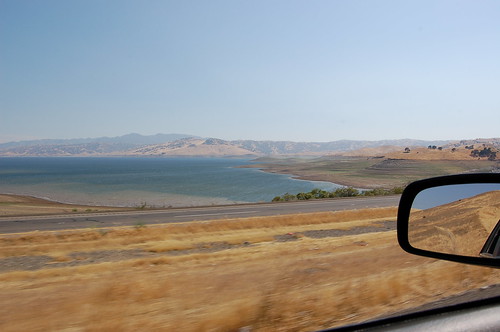
Going through Los Banos on route 152, huge winding canals carried water and looked like paved roads of their own. The San Luis Reservoir appeared out of no where and route 152 snaked around half the reservoir, climbing up the hills and opening up to amazing views. As I came down the other side of the hills, the landscape became thickly forested for a short while, no doubt fed by the water from the reservoir.
Entering the San Francisco area on route 101, the weather turned extremely cold; 55 °F! I had spent the past two days driving in 100+ °F weather and the change was a huge shock. The pine trees in Mountain View (considered part of Silicon Valley, home of Google, Microsoft, and others) made it clear that I was no longer in the desert. Many parts felt eerily similar to New England, except that everything was extremely clean and lots of people had hybrids and rode their bikes.
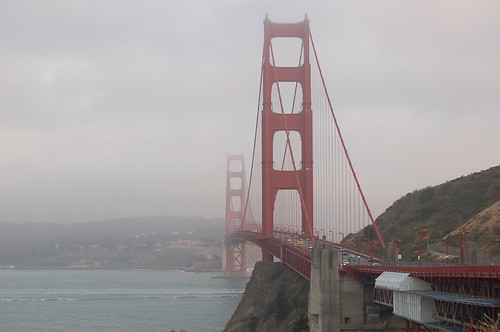
I then drove into San Francisco, a very hilly and foggy city. Much of the city smelled like burning firewood from the forest fires. I drove over the Golden Gate Bridge and took the first scenic stop on the right. I'm sure the views would have been even more incredible if it wasn't so cloudy.
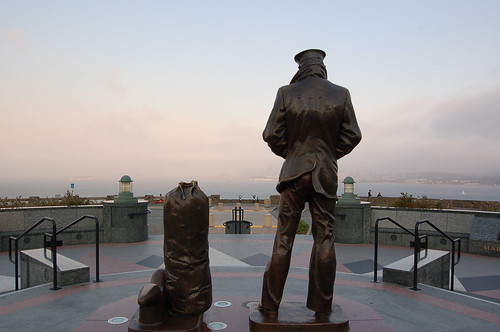
There is a huge section of trails to the West, but I didn't have enough time to explore further. I headed back to the airport, returned the rental, and waited for the plane (it was delayed one hour). The plane left at 12:30am. Being a flight to Boston, MA, they offered Dunkin Donuts coffee on the flight. I hoped to get some sleep on the way, however the flight was very turbulent. I'm talking 30+ minutes of non-stop turbulence. People were vomiting, and even I was starting to feel sick (I don't get motion sickness very easily). The pilot tried going around it, but couldn't. Never the less, we landed safely in Boston at 8:30am and I took public transportation back to Central Square for $1.70. It took 35 minutes and we passed a $3.50 toll along the way. It was amazing how small everything looked when I got back; the rivers, the roads, the buildings, everything looked smaller.
California was an amazing place of diversity and I really look forward to going back. I'd like to live there at some point in the future.
Total miles driven: ~420
A very cool map of the Interne…
A very cool map of the Internet's undersea world: http://tinyurl.com/2n4mz6